
Preview of Projektově 2

Welcome Projektově 2

We have worked thousands of hours to bring you a new, improved and redesigned Projektově application. Explore what we have prepared for you.

Hold on.. What if I don't like change?.
Read the letter from Zdeněk, our founder, explaining why we're changing things.
Controls

Easy to use

Move around Projektově 2 easily and quickly. We have built a control center for you that lets you reach every part of the app in significantly fewer clicks than ever before. The blue frame of the application hides all the important navigation elements.

in one click

everything is at hand
Side menu
From the left-hand menu you can get to the list of projects, tasks or reports. In short, everywhere you need to go.
find what you need
Search term
The improved search can now look everywhere in Projektově – both in projects and in tasks.
everything you are currently working on
To save you clicks, we added tabs
most frequent actions
Context menu
Right-click gives you quick access to the most commonly used functions.
Tip: A clear head? With one click you can collapse the whole blue panel so nothing distracts you while you work.
Project list

Project organization

Projektově 2 brings a genuinely clearer company structure. We have added folders into which you can place projects, keeping order both in Projektově and in your company. In a few seconds you will also know how many tasks your colleagues currently have and how many of them are overdue.

at first glance

you see what needs attention
All assigned (215)
Current (20)
Overdue (5)
Done (69)
Closed
Every project and task now lights up orange when something is overdue. You can also quickly display an overview of these problem areas.
a pleasure to look at
Folder
Project A
Project B
An organized workspace keeps the team happy. Create your own system using folders and projects. The structure is visible to all colleagues; only members of the specific projects can step inside.
you see how your colleagues are doing
Project health indicator
Projektově 2 introduces a project health indicator. Without having to open the project, you can see at a glance whether it is heading for collapse.
a more enjoyable environment
Build your own company system thanks to emoji next to project names.😎
You do not have to use emoji if you do not want to.
Tip: Going round in circles? Create projects from templates.
Task detail

Effective task management

Creating tasks easily and delegating them is exactly why we built Projektově. In Projektově 2 we have completely redesigned the task card and brought several improvements. Comments have also changed for the better and you can now use labels. No one has ever moved through tasks faster with us than now.

for everyone

who needs an overview
Task list in a project
Without asking, with one click you see the assignee, deadline and whether the task is done.
who wants things done
Calendar sketch
A glance is enough to spot the priorities. Current tasks light up purple, overdue ones orange.
who likes a good discussion
Discussion sketch
Improved commenting under a specific task will help many a discussion.
who likes labels
No rush
Unfinished
Urgent
Developers
Figma
😎Tomorrow
Tomorrow
For highlighting, clear reports and fast search.
Tip: Too much to handle? Subtasks for further breakdown.

Alternative planning

Projektově 2 brings a genuinely clearer company structure. We have added folders into which you can place projects, keeping order both in Projektově and in your company. In a few seconds you will also know how many tasks your colleagues currently have and how many of them are overdue.

for big planners
visual planning
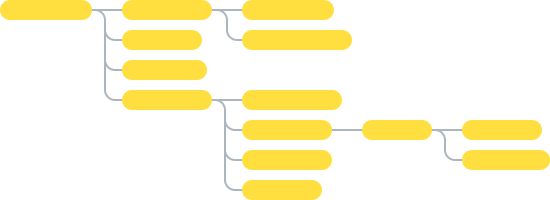
Illustration of a task mind map
Popular mind maps for those who prefer a visual layout.
who want to be ahead
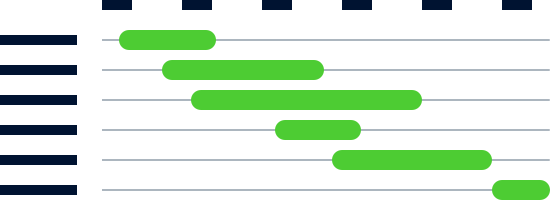
Illustration of a Gantt chart
An advanced yet simple Gantt chart for planning dependencies and overlaps between phases of projects and tasks.
Tip: Your colleagues do not want it? Not everyone wants mind maps or a Gantt chart, we know. These features are also great for meetings, where only one user works with them and the others understand the connections better thanks to the visual view.

And lots more

budgeting
calendar integration
attachments in tasks
voting
external team members
custom fields
time tracking
new: meeting mode
Zdeněk Solnický
Why are we changing it?
Read the whole story.
Read the letter